macOS app · 2026
Sift
Photo culling for Mac, straight from the memory card.
- Type
- macOS app · Free during beta · macOS 14+
- Built with
- Swift 6SwiftUIAppKitImageIOCore ImageGRDB (SQLite)Cloudflare Workers
I came home from Japan with around 2,600 photos, and they sat on my drive for months because sorting them meant importing, waiting for previews and clicking through every frame. I built Sift to get through them, and sorted the whole trip in about two hours.
Sift opens the card as soon as it is inserted and shows the preview your camera already saved inside each RAW file, so there is nothing to import or render. Picks, rejects, stars and colour labels go into XMP sidecars that Lightroom, Capture One and Bridge read as they are, and your original files are never changed.
It is written in Swift 6, with SwiftUI for the app shell and AppKit where speed matters. A decode queue loads the next five frames before you reach them, and a local SQLite index lets you search every shoot you have opened.
What it does
Start when the card is in
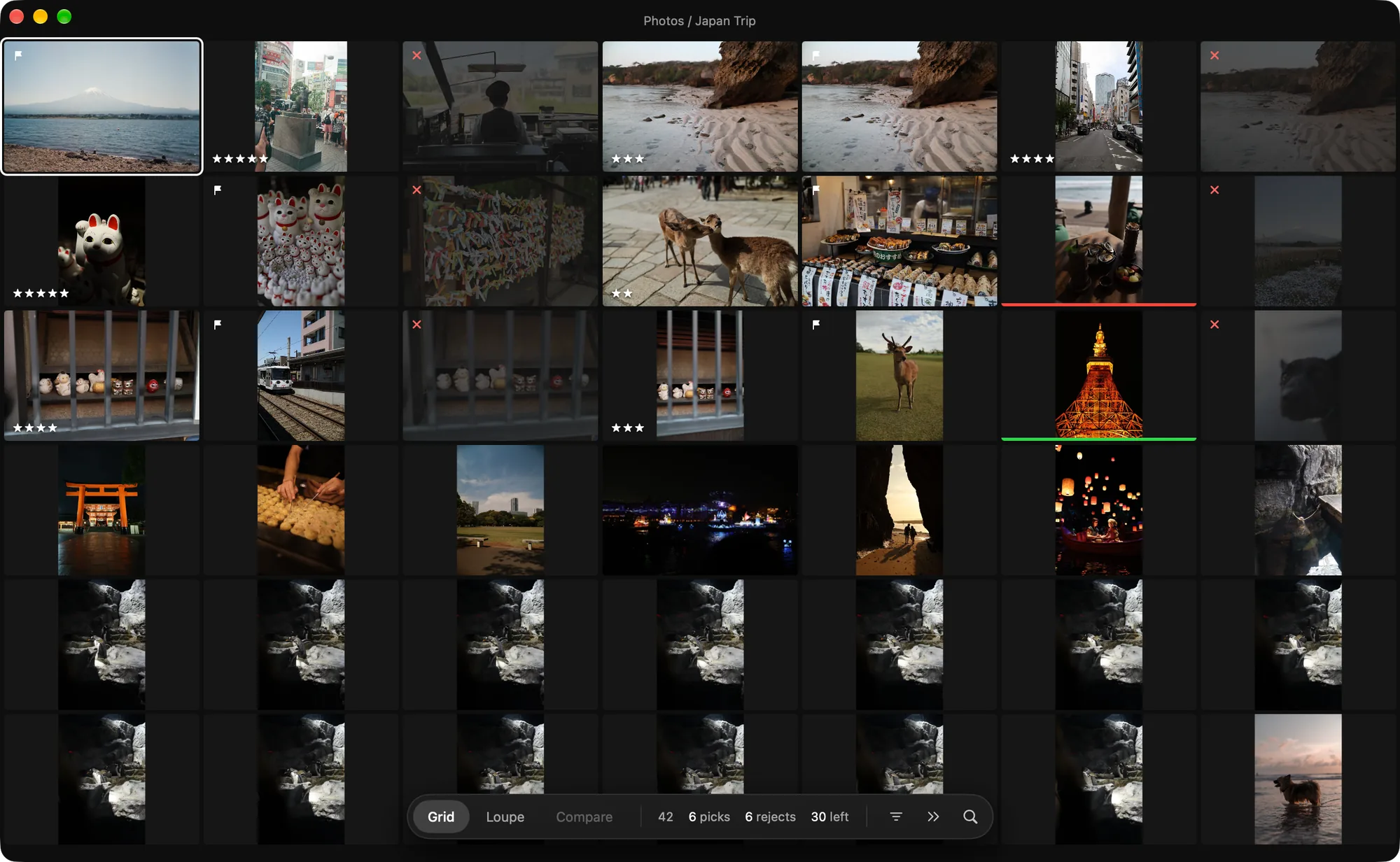
Sift offers the card's DCIM folder the moment you insert it. Nothing is copied first, and the next frames are loaded before you get to them.
One key per photo
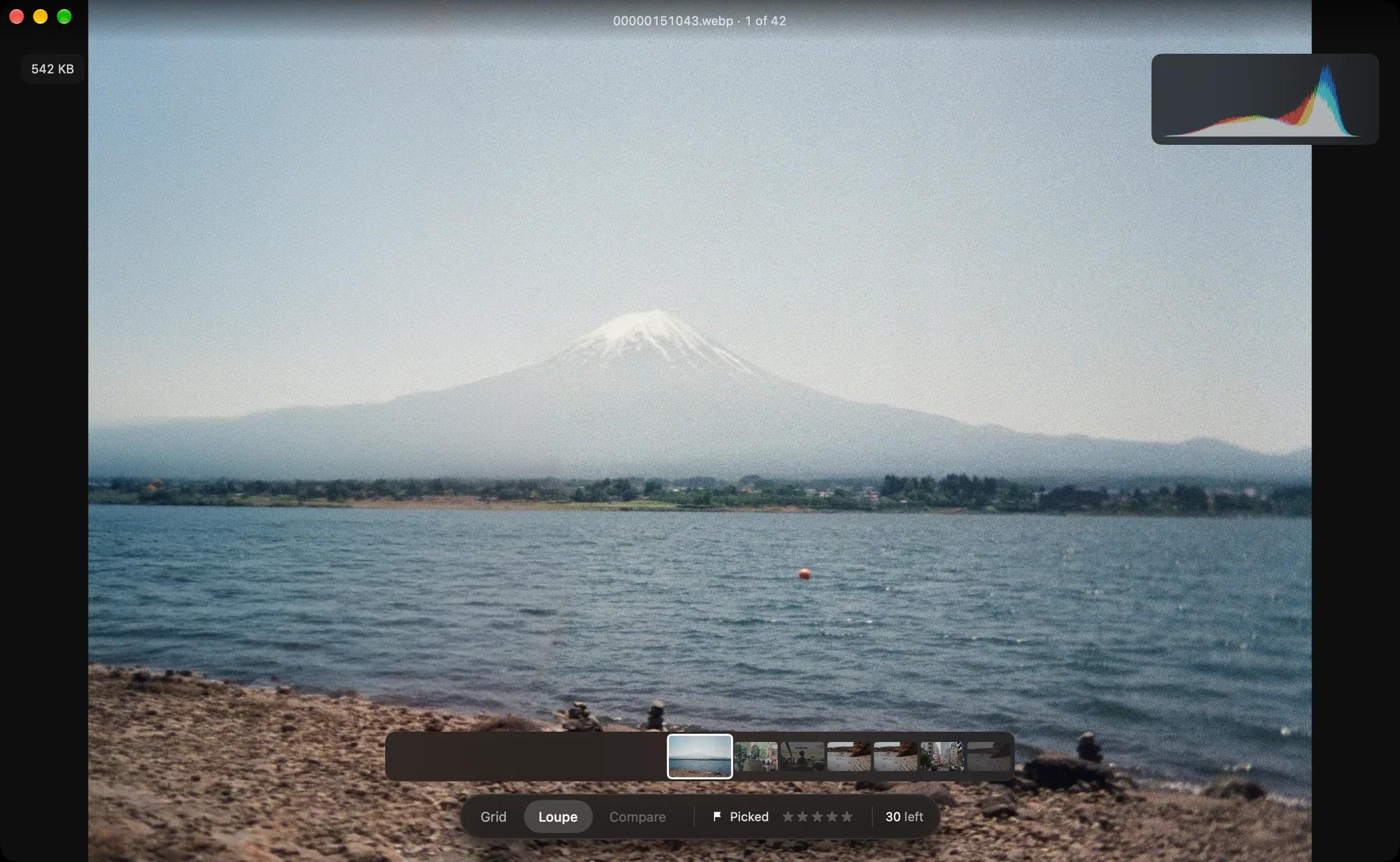
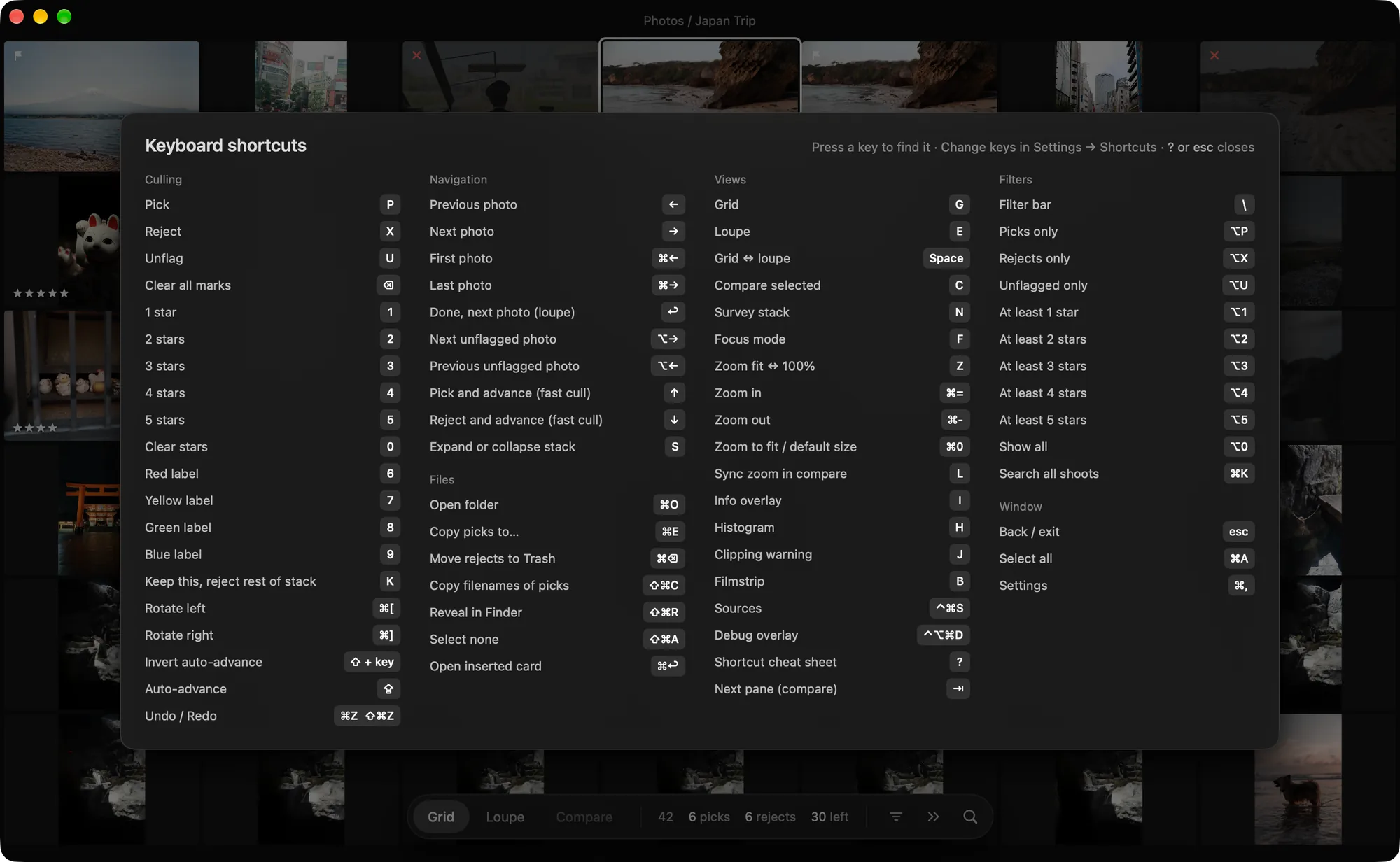
P picks, X rejects, 1 to 5 set stars and 6 to 9 set colour labels. They are Lightroom's keys, and you can change any of them.
Bursts and focus checks
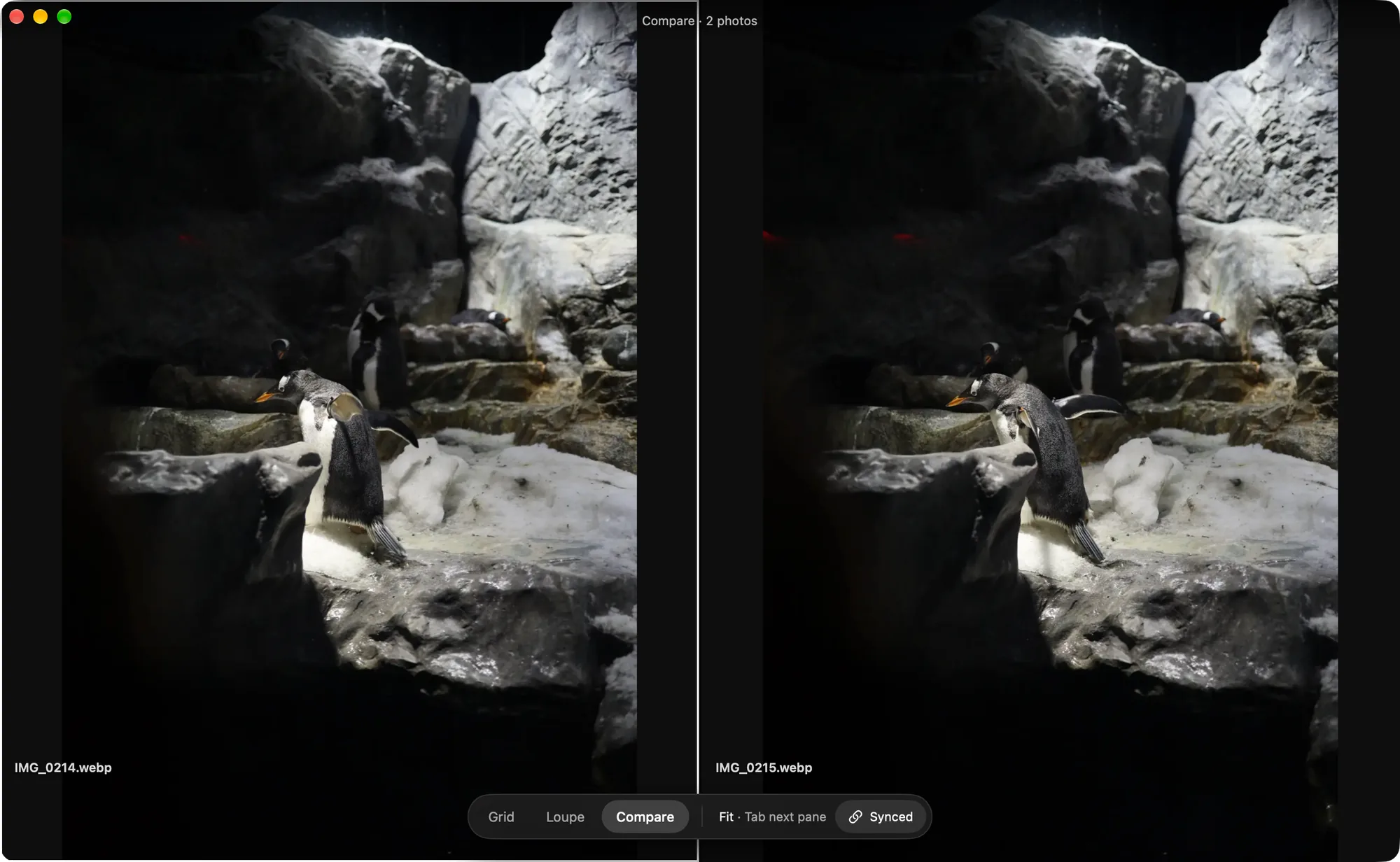
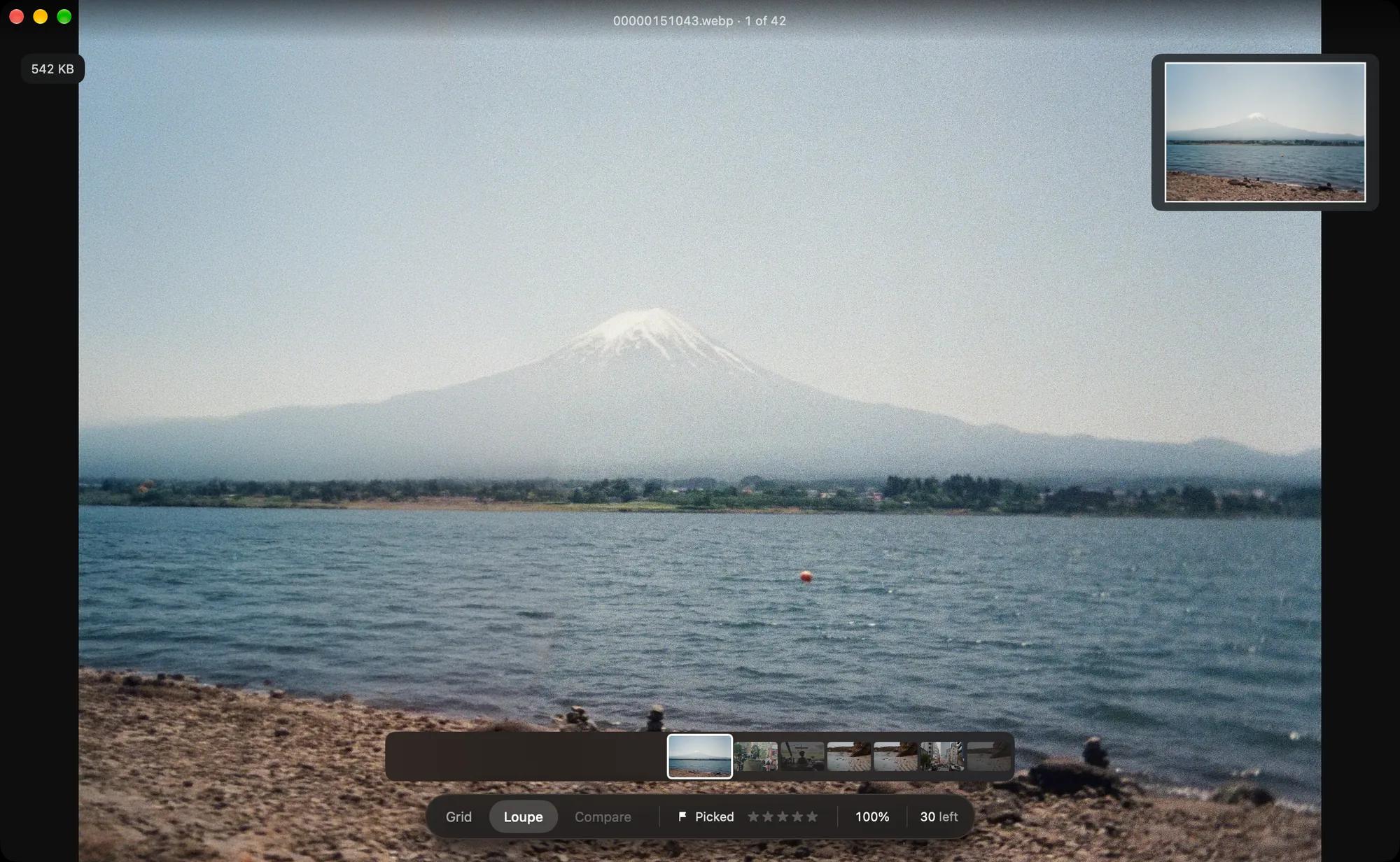
A burst stacks into one tile. Compare up to four frames side by side, zoom them all to 100% on the same spot, and keep the sharpest.
Hand off to Lightroom
Copy your picks to a drive with their sidecars, renamed your way, and move the rejects to the Trash once you confirm.
Screenshots